> ## Documentation Index
> Fetch the complete documentation index at: https://docs.sharethat.co/llms.txt
> Use this file to discover all available pages before exploring further.
# Submissions
> A deep dive into how you can submit posts and get paid.
Submitting clips is how you get paid on ShareThat. Learn all the details you need to know to be successful.
## How to Submit Clips
Learn how to join groups [here](/clippers/groups).
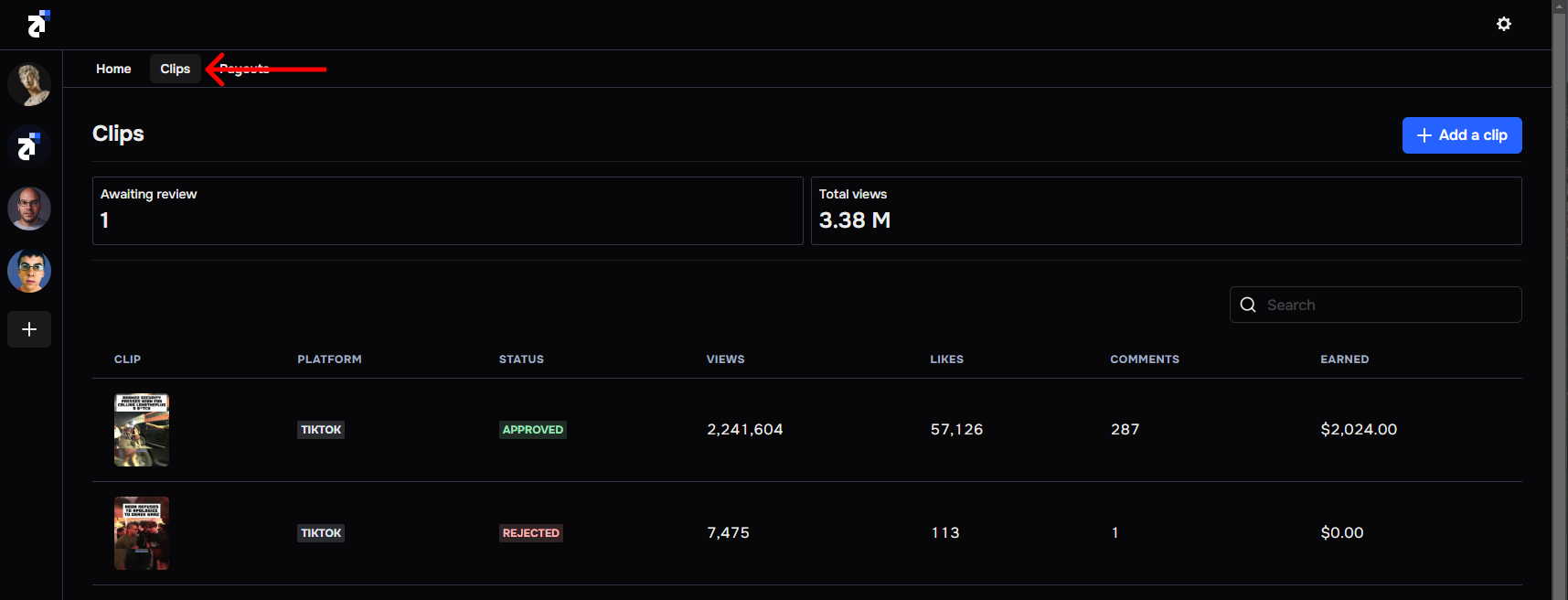
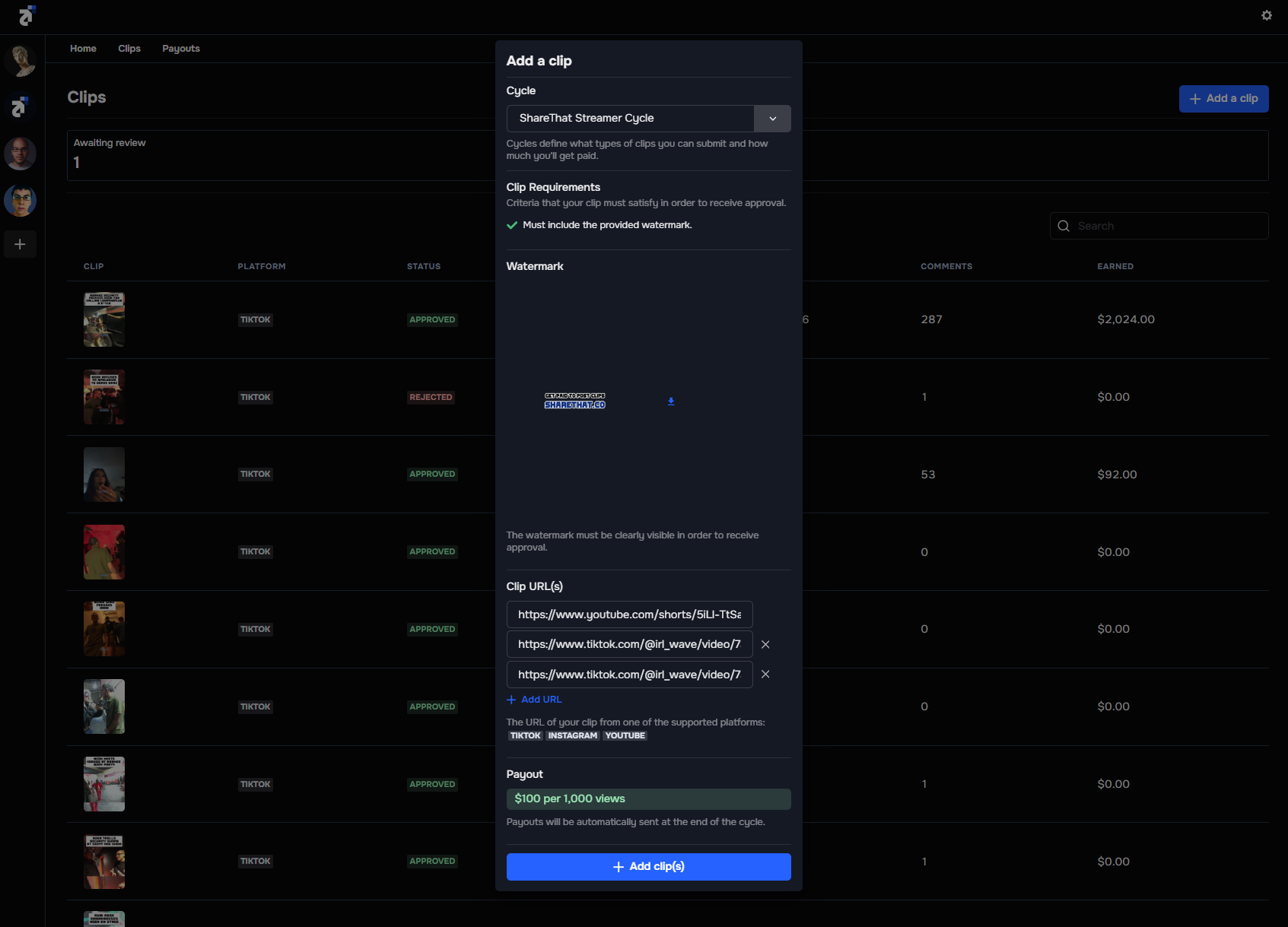
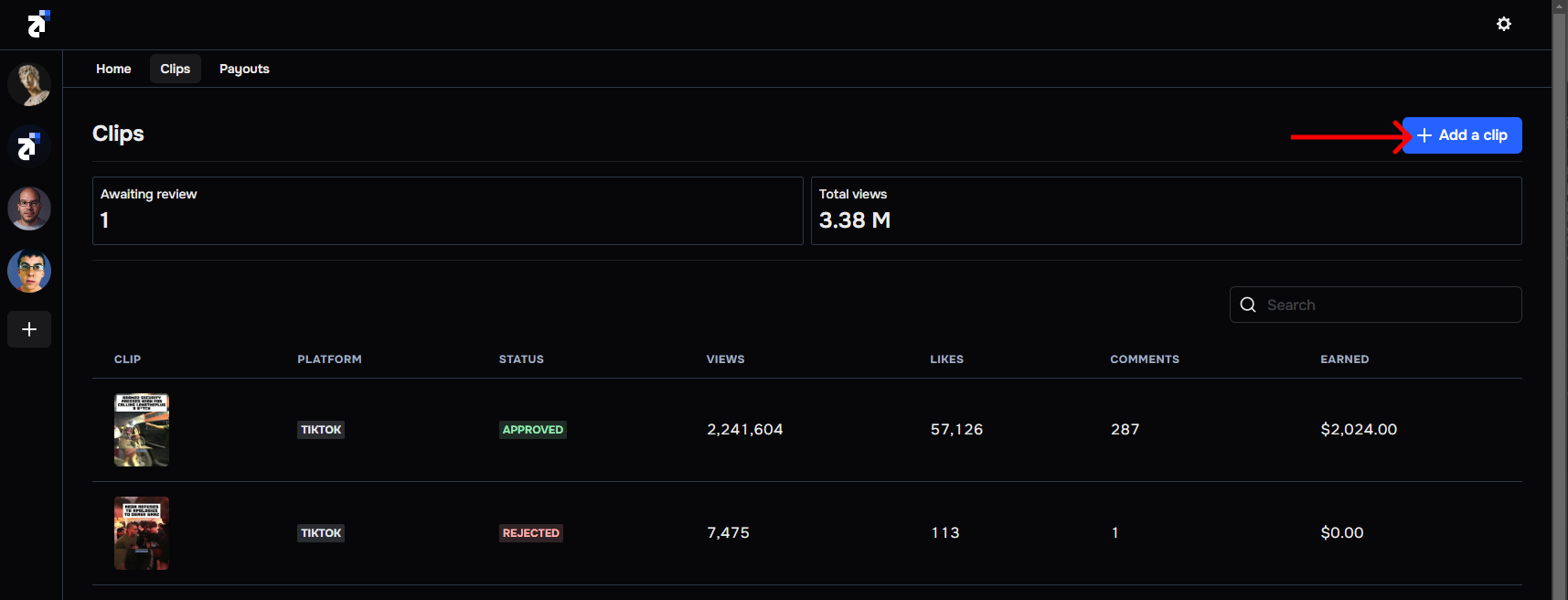 Click the **Cycle** dropdown to see all active cycles within a specific group. The cycle card will include the following:
* **Name:** The name of the cycle.
* **Description:** Descriptions include information about cycles that are needed to qualify for a payout.
* **Pay Rate:** You will see a Pay-per-view rate (E.g., `$30 per 100k views`) or a Pot rate. To learn more about budget modes, read [cycles](/brands/cycles).
* **Watermark:** You may be required to download a watermark and include it with your submissions to earn a payout. Watermarks can be downloaded if required.
Click the **Cycle** dropdown to see all active cycles within a specific group. The cycle card will include the following:
* **Name:** The name of the cycle.
* **Description:** Descriptions include information about cycles that are needed to qualify for a payout.
* **Pay Rate:** You will see a Pay-per-view rate (E.g., `$30 per 100k views`) or a Pot rate. To learn more about budget modes, read [cycles](/brands/cycles).
* **Watermark:** You may be required to download a watermark and include it with your submissions to earn a payout. Watermarks can be downloaded if required.
 To learn more about cycles click [here](/brands/cycles).
To add a clip, paste the link(s) of the clips you posted. Cycles can support submissions from TikTok, YouTube, and Instagram. However, there may be cases where platforms are disabled. We give creators/brands the ability to enable and disable platforms based on their needs.
To learn more about cycles click [here](/brands/cycles).
To add a clip, paste the link(s) of the clips you posted. Cycles can support submissions from TikTok, YouTube, and Instagram. However, there may be cases where platforms are disabled. We give creators/brands the ability to enable and disable platforms based on their needs.
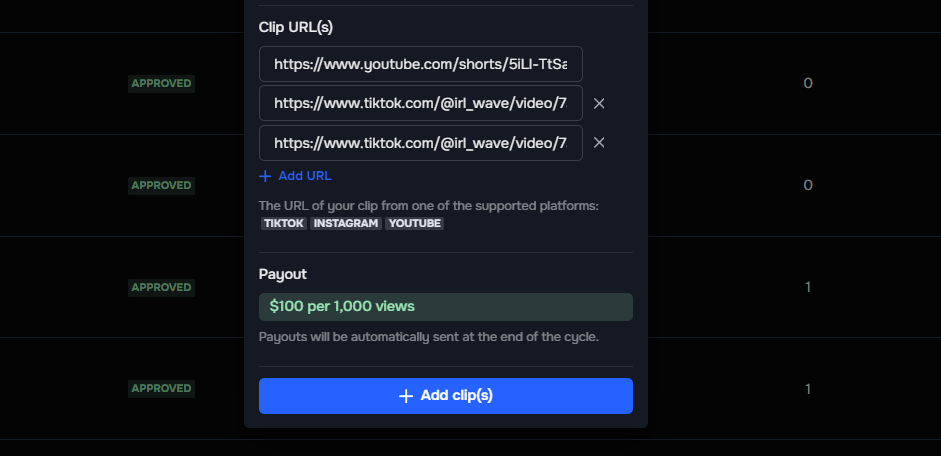 You can add multiple clips to a cycle at once to save time.
After you submit clips, they need to be approved by the creator/brand for a payout. Ensure the clips you submit meet all requirements set by the cycle so that they get approved for a payout.
## Cycle Requirements
When you submit clips and participate in a cycle, it's important to understand the approvals and quality checks that take place to earn a reward.
#### Approvals
After you submit clips, they will need to get approved by the creator/brand to qualify for a payout. You are paid for **Approved** and **Pending** submissions when a cycle ends. You will not be paid for **Rejected** submissions. Read more about approvals [here](/brands/approvals).
If you feel like a group has wrongly rejected a submission, please [reach out to our team](https://sharethat.co/contact).
#### Quality Checks
ShareThat performs several checks when you submit a clip:
* Submissions MUST be from a connected social media account. Trying to submit clips from an account you don't own or have access to will not work.
* Submissions MUST be from a platform enabled by the cycle. Trying to submit an Instagram Reel to a cycle that only has TikTok enabled will not work.
* You cannot submit the same clip twice.
## Track Your Earnings
When you submit clips, you can easily keep track of view count, likes, comments, and the amount you can expect to earn on the [Clips](https://app.sharethat.co/clippers/clips) page.
You can add multiple clips to a cycle at once to save time.
After you submit clips, they need to be approved by the creator/brand for a payout. Ensure the clips you submit meet all requirements set by the cycle so that they get approved for a payout.
## Cycle Requirements
When you submit clips and participate in a cycle, it's important to understand the approvals and quality checks that take place to earn a reward.
#### Approvals
After you submit clips, they will need to get approved by the creator/brand to qualify for a payout. You are paid for **Approved** and **Pending** submissions when a cycle ends. You will not be paid for **Rejected** submissions. Read more about approvals [here](/brands/approvals).
If you feel like a group has wrongly rejected a submission, please [reach out to our team](https://sharethat.co/contact).
#### Quality Checks
ShareThat performs several checks when you submit a clip:
* Submissions MUST be from a connected social media account. Trying to submit clips from an account you don't own or have access to will not work.
* Submissions MUST be from a platform enabled by the cycle. Trying to submit an Instagram Reel to a cycle that only has TikTok enabled will not work.
* You cannot submit the same clip twice.
## Track Your Earnings
When you submit clips, you can easily keep track of view count, likes, comments, and the amount you can expect to earn on the [Clips](https://app.sharethat.co/clippers/clips) page.
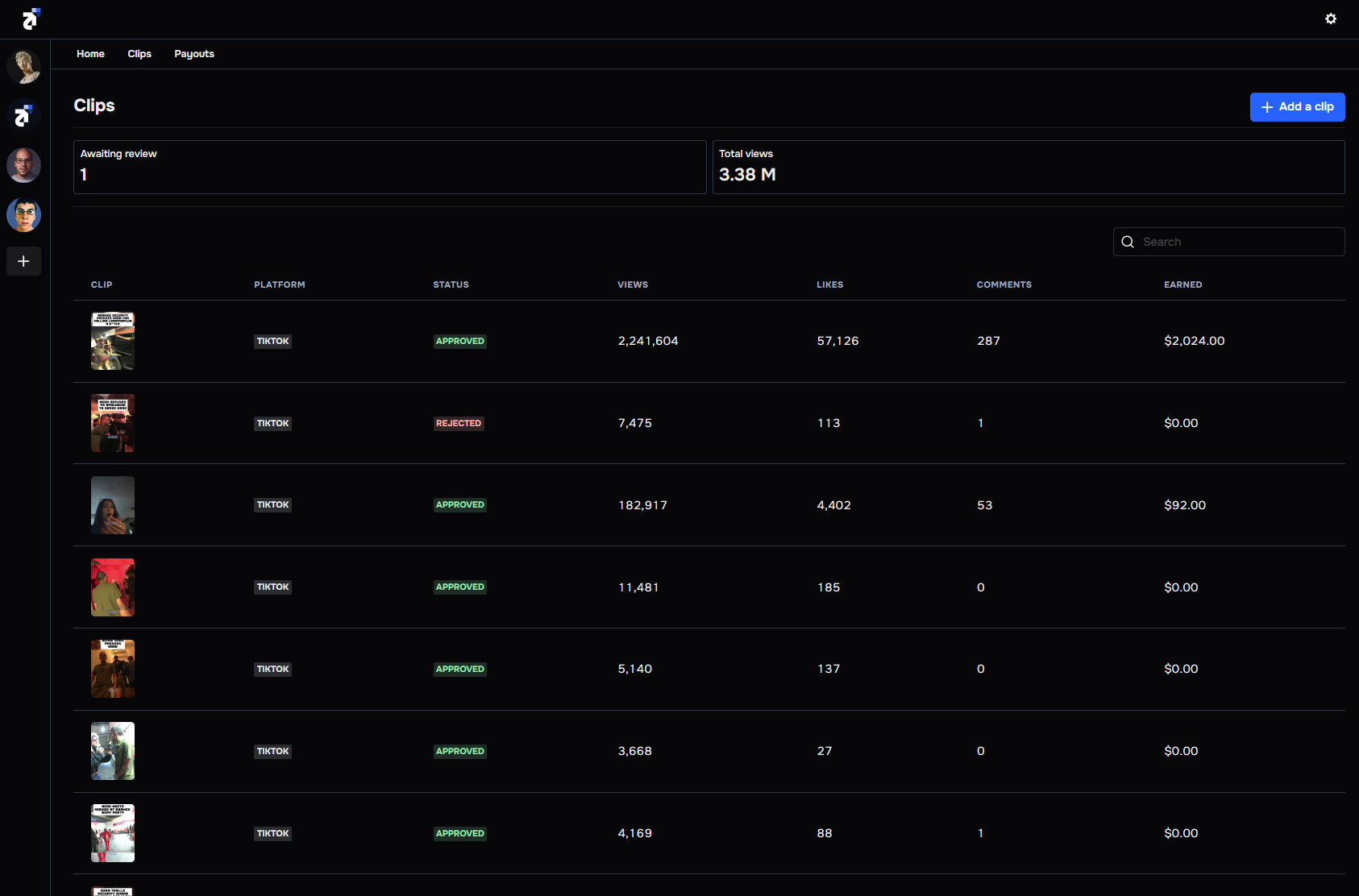 ShareThat takes an 8% fee on each payout. The **Earned** number showing includes our fee and is the exact amount you will receive when the cycle ends.
## View Tracking
ShareThat integrates directly with TikTok, Instagram, and YouTube. This allows us to improve the overall experience for you. Connecting your social media accounts takes seconds, and our analytics are precise.
We automatically update view count, likes, comments, and the amount you can expect to earn every hour, on the dot (E.g., 1 PM, 2 PM, 3 PM, etc).
ShareThat takes an 8% fee on each payout. The **Earned** number showing includes our fee and is the exact amount you will receive when the cycle ends.
## View Tracking
ShareThat integrates directly with TikTok, Instagram, and YouTube. This allows us to improve the overall experience for you. Connecting your social media accounts takes seconds, and our analytics are precise.
We automatically update view count, likes, comments, and the amount you can expect to earn every hour, on the dot (E.g., 1 PM, 2 PM, 3 PM, etc).